Ornamental Swirl Vector Collection: A Practical Guide to Integrating Vintage Elegance into Modern Design Workflows
In the fast-paced world of digital design, efficiency often clashes with aesthetics. Designers, marketers, and content creators frequently find themselves searching for assets that not only look professional but also integrate seamlessly into existing projects without requiring hours of customization. This is where a curated Ornamental Swirl Vector Collection becomes an invaluable resource. Far more than just decorative clipart, these elements serve as functional tools for structuring visual hierarchy, guiding the viewer’s eye, and establishing a tone of sophistication.
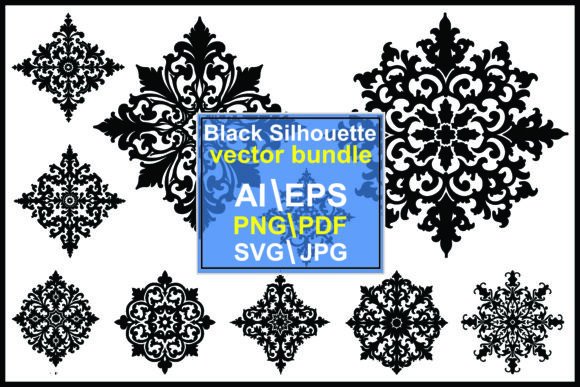
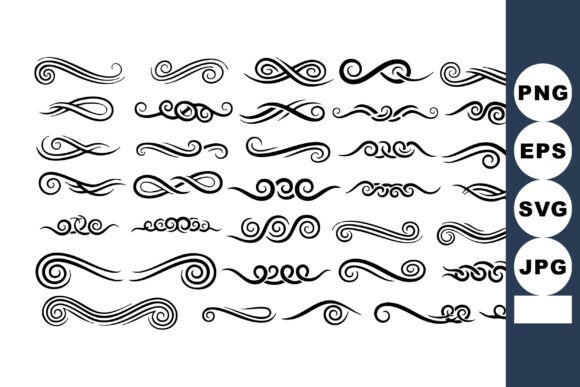
This vector collection features decorative ornamental swirl designs ideal for vintage style and elegant divider elements in graphic projects, creating a classic sophisticated mood. However, its utility extends beyond mere decoration. When understood as part of a broader design workflow, these assets can significantly reduce production time while elevating the perceived quality of your output. Whether you are a freelancer managing tight deadlines, a small business owner creating marketing materials, or an educator designing engaging handouts, understanding how to implement these vectors effectively is key to maximizing their value.
Strategic Placement in the Design Process
Integrating decorative elements like swirls requires a shift in mindset from "adding extras" to "structuring space." The most effective use of an Ornamental Swirl Vector Collection occurs during the layout phase, rather than as an afterthought. Before you begin placing text or primary images, consider where visual breaks are necessary. These dividers act as punctuation marks in visual communication, signaling transitions between sections, chapters, or ideas.
For instance, when designing a wedding invitation or a formal certificate, the swirls define the boundaries of the content. They create a frame that holds the viewer's attention within a specific area. In a corporate context, such as annual reports or white papers, these elements can soften the rigidity of data-heavy pages, making the document feel more approachable and refined. By planning their placement early, you ensure that the decorative elements support the content rather than competing with it.
Pre-Production Preparation and Asset Organization
Efficiency begins before you open your design software. The downloadable ZIP includes SVG, EPS, JPG, and PNG files, offering flexibility across different platforms. However, having all these formats in one folder can lead to clutter if not organized correctly. A practical approach is to sort the files by format and style immediately after download. Create subfolders for "Web Ready" (PNG/JPG) and "Print/Editable" (SVG/EPS). This simple organizational step saves considerable time when you are in the flow of creation and need a specific file type quickly.
Understanding the technical differences between these formats is crucial for quality control. SVG and EPS files are vector-based, meaning they can be scaled infinitely without losing resolution. These are your go-to formats for print materials, large-format banners, or any project where you might need to resize elements later. JPG and PNG files are raster-based, suitable for web use, social media graphics, or quick mockups where editing the shape is not required. Knowing which format to pull from your library prevents common issues like pixelation or incompatible file errors during the export phase.
Workflow Integration Across Different Platforms
The versatility of the Ornamental Swirl Vector Collection lies in its compatibility with industry-standard tools. For professionals using Adobe Illustrator or CorelDRAW, the EPS and SVG files allow for deep customization. You can ungroup the elements, change stroke weights, adjust colors to match brand guidelines, or combine multiple swirls to create unique composite shapes. This level of control ensures that the decorative elements feel bespoke rather than generic.
For users working in Canva, Microsoft PowerPoint, or other drag-and-drop interfaces, the PNG files with transparent backgrounds are essential. These allow you to drop the swirls directly onto your canvas without worrying about removing white backgrounds or dealing with complex layering issues. This accessibility makes the collection suitable for non-designers who still need to produce high-quality visual content. The ability to switch between editable vectors for detailed work and ready-to-use raster images for speed demonstrates how this asset pack adapts to varying skill levels and workflow demands.
Enhancing Brand Consistency and Visual Identity
One of the challenges in maintaining a consistent brand identity is ensuring that decorative elements align with the overall aesthetic. Vintage and elegant styles require a delicate balance; too much ornamentation can appear cluttered, while too little may fail to convey the intended sophistication. Using a unified collection ensures that all your dividers and flourishes share a consistent line weight, curvature, and stylistic nuance. This consistency is vital for building trust and recognition among your audience.
When implementing these swirls, consider color psychology and contrast. While black or gold swirls are traditional for vintage themes, adapting the color to your brand palette can modernize the look. For example, a muted navy or deep emerald green can maintain the elegant mood while feeling contemporary. The vector format allows you to test these color variations instantly, facilitating a rapid iteration process that helps you find the perfect match for your project’s tone.
Practical Use Cases and Implementation Tips
To truly leverage the potential of this collection, it helps to visualize specific scenarios where these elements solve design problems. Here are several practical applications:
- Digital Marketing Materials: Use subtle swirls as background textures in social media posts to add depth without distracting from the copy. Lower the opacity to create a watermark effect that enhances brand prestige.
- Print Collateral: Incorporate larger, more intricate swirls on business cards or letterheads to frame contact information. This draws attention to key details and adds a tactile sense of quality to the physical item.
- Web Design: Utilize SVG files for website headers or footers. Because SVGs are code-based, they load quickly and remain crisp on high-resolution retina displays, improving both user experience and site performance.
- Educational Resources: Teachers and publishers can use these dividers to separate sections in worksheets or textbooks. The elegant style can make educational materials feel more premium and engaging for adult learners or professional development courses.
When applying these elements, always prioritize whitespace. Ornamental designs thrive when they have room to breathe. Crowding swirls against text or other images reduces their impact and can make the layout feel chaotic. Aim for a balanced composition where the decorative elements guide the eye naturally from one section to the next.
Quality Control and Final Review
Before finalizing any project, perform a thorough review of how the ornamental elements interact with the rest of the design. Check for alignment issues, ensuring that swirls are symmetrical or intentionally asymmetrical according to your design intent. Verify that the colors are consistent across all pages or screens. If you are preparing files for print, ensure that any vector elements are converted to outlines or embedded properly to avoid font or missing link errors.
Additionally, consider the long-term usability of your files. Save your master files with layers intact, keeping the ornamental swirls on separate layers. This practice allows for easy edits in the future, whether you need to swap out a design element or update the branding. By treating these assets as modular components of your design system, you create a sustainable workflow that supports scalability and consistency over time.
Maximizing Value Through Strategic Usage
The Ornamental Swirl Vector Collection is more than a set of images; it is a toolkit for enhancing visual communication. By integrating these elements thoughtfully into your workflow, you can achieve a level of polish and professionalism that resonates with your audience. Whether you are crafting a vintage-inspired brand identity or simply looking to add a touch of elegance to everyday documents, these vectors provide the flexibility and quality needed to succeed.
Remember that the goal of using decorative elements is to support your message, not overshadow it. Use them to create structure, emphasize importance, and evoke emotion. With the right preparation, organization, and application, this collection becomes an indispensable part of your creative arsenal, helping you deliver sophisticated, high-impact designs with greater efficiency and confidence.